Templates
Templates
In order to save time when creating Experiments, eLabFTW features a Templates system for Experiments.
It is recommended to create Templates for Experiments you often do. You can think of a Template as a skeleton of a real Experiment. To create a template, select "Templates" from the menu bar at the top.
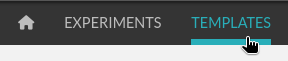
Then, click the "Create" button, enter a title, and start editing your template. Once you are satisfied with it, click save. As you can see, you can have different permissions for the template itself, and for the Experiment that will be created from that template.
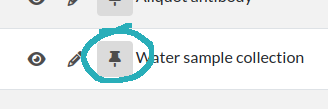
By default, the template is "pinned", which means it will appear in the pop up window when you click "Create" and also in the menu next to the "Create" button on the "Experiments" page. If at some point you do not wish to have this template available in this menu, you can toggle its pinned Status by clicking the thumbtack icon:
As with Experiments or Resources, use the Scope button to select what you wish to be listed: only your own Templates (Self) or more.